

Platform / Import
Bring in what the feed does not cover.
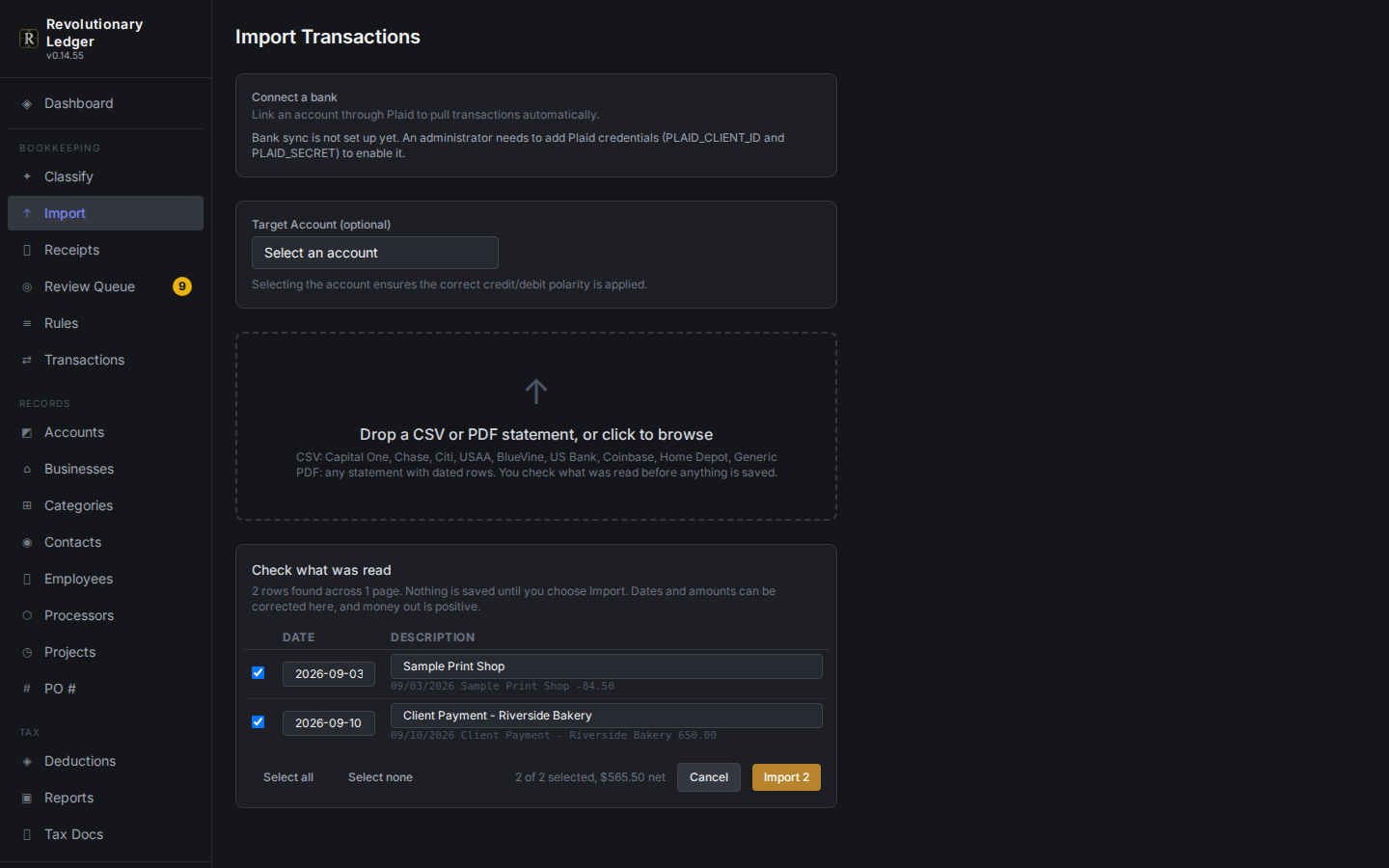
A CSV, a spreadsheet or a scanned bank statement PDF, recognized by bank where possible and always previewed before anything lands in the ledger.
What it does
Built around how the work actually happens
Named-bank detection
Capital One, USAA, BlueVine, US Bank, Chase, Citi, Home Depot CC and Coinbase headers are recognized automatically, with a generic parser for everything else.
Spreadsheets too
An XLSX upload is flattened automatically, no manual export to CSV first.
PDF statements
A bank or card statement PDF is parsed by its actual layout and shown as a preview, nothing is saved until you commit it.
Duplicates caught before they land
A row that matches an existing transaction by date, amount and description is flagged as a likely duplicate in the preview, not after.
Small details that add up
Zelle payer names are cleaned up, US Bank reference tokens are stripped, PO numbers are pulled out of descriptions, and a payment is told apart from a refund by its category rather than guessed from abbreviated text.
How it works
3 steps
Upload
A CSV, XLSX or statement PDF from whichever bank or card issuer it came from.
Preview
Rows are parsed, cleaned up (payer names, reference tokens, PO numbers) and checked against what is already in the ledger.
Commit
Only the rows you approve are added; nothing is written during the preview.
See it next to the rest of the platform.
Every capability here reads from the same ledger, so nothing needs a second export to line up.